Fake Media Rank
Fake Media Rank adds a media-style badge and a selectable +, ++ or +++ rank beside your name in supported local nametag and tab-list views.
1.21.11
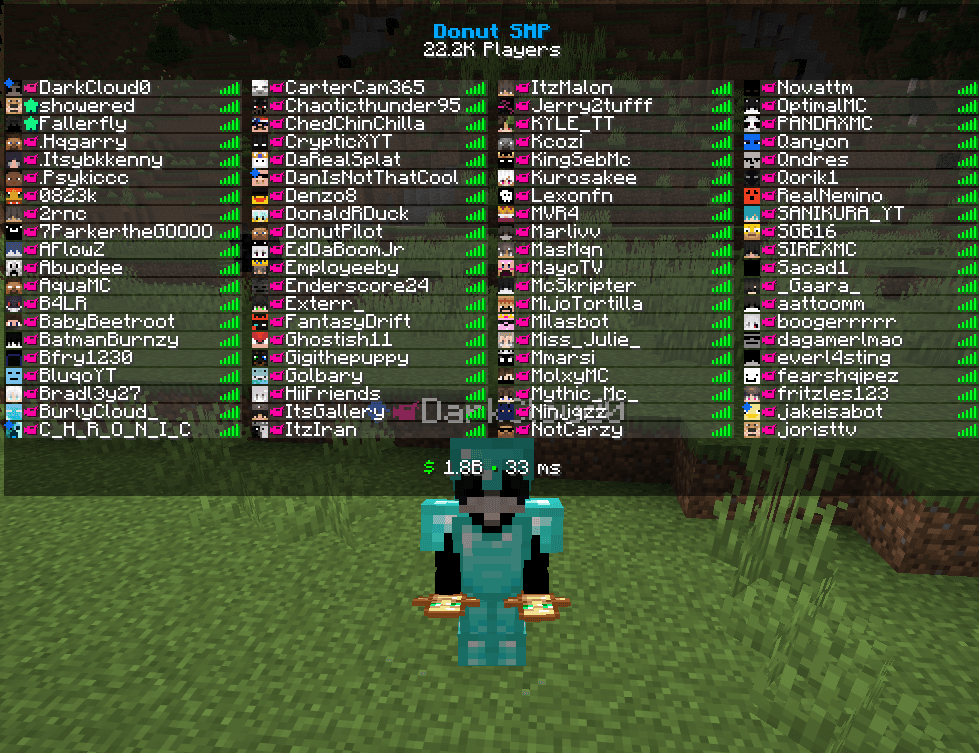 Media badge in the DonutSMP tab list
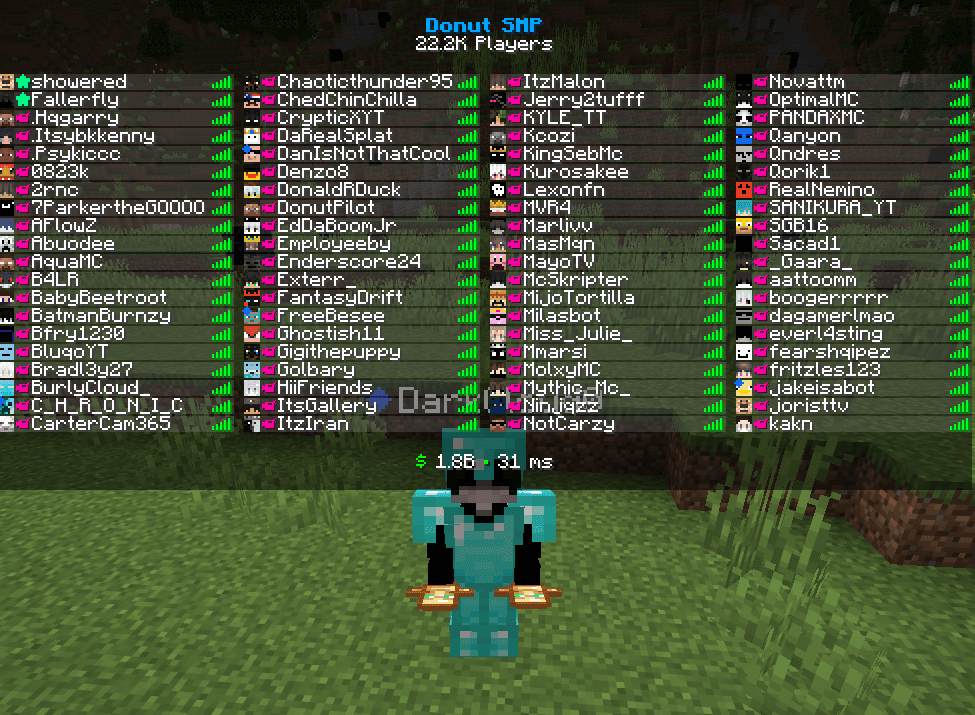 Tab-list placement
How Fake Media Rank works.
Use the media command to toggle the badge, then choose one of three rank levels with the rank command. Your selection is saved locally so the display remains consistent between sessions.
This is not a server-issued rank. It does not provide permissions, staff access, a real media role or a badge visible to everyone else on the server.
A closer look.
Media badge in the DonutSMP tab list
Shows the local media-style icon beside the username while keeping the surrounding DonutSMP tab-list layout intact.
Tab-list placement
The visual is positioned directly with the player name so it blends into a full, populated DonutSMP player list instead of appearing as a separate overlay.
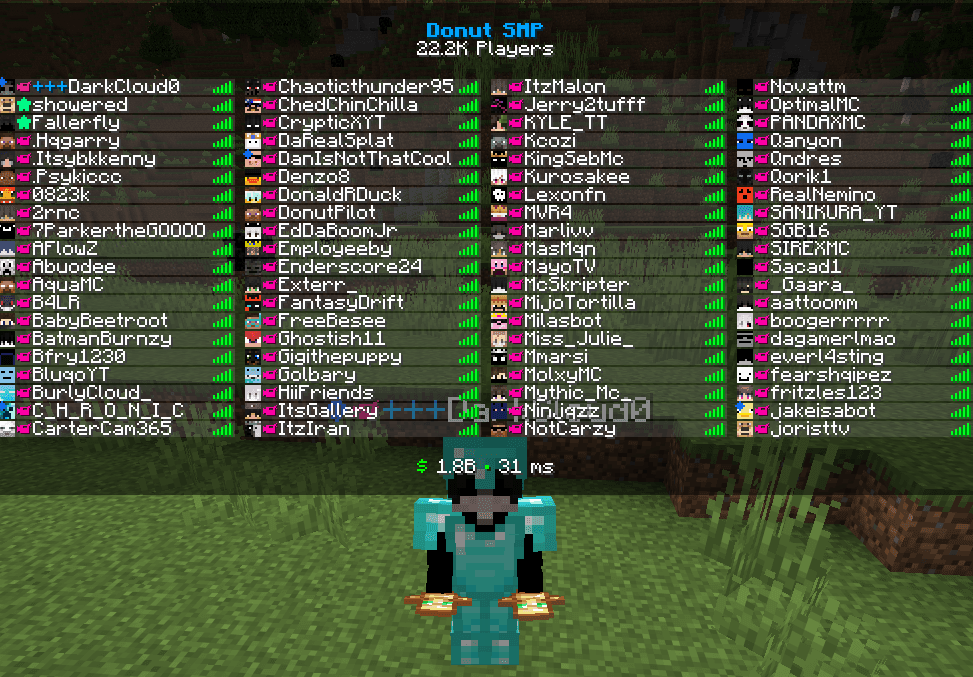
+++ rank example
A selected fake rank level can be displayed locally before the username. This example shows the blue +++ styling in the tab list.
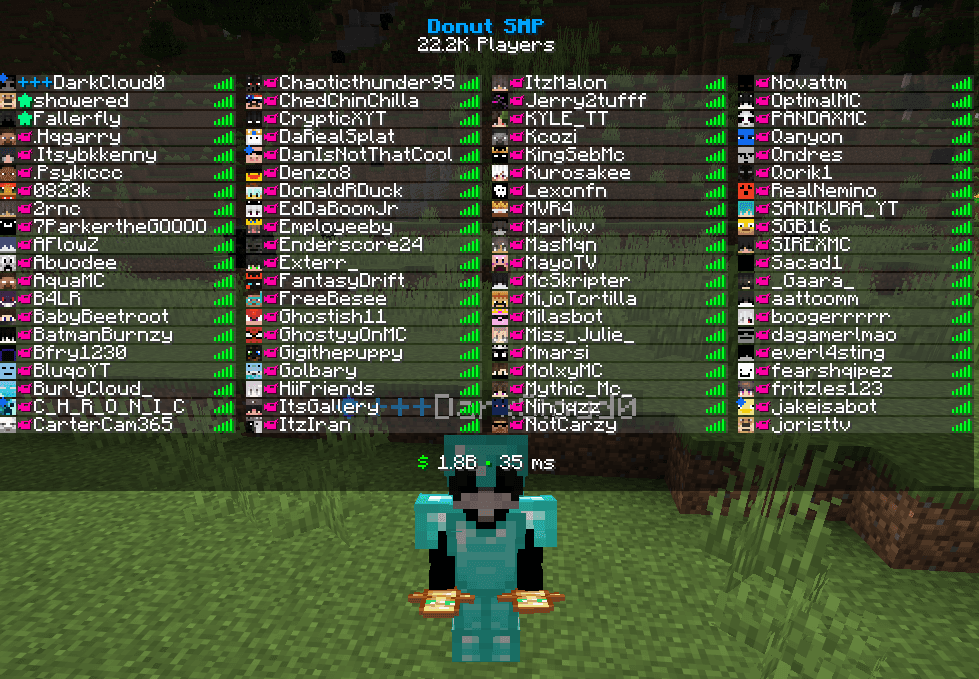
Rank and media styling together
Demonstrates how the local rank styling looks in normal gameplay with a crowded player list and the rest of DonutSMP's tab formatting visible.
/fakemedia · /fakerank 1|2|3What it does
- ✓Media icon toggle
- ✓Three rank levels
- ✓Custom tab-list placement
- ✓Persistent settings
What it does not do
Client-side only. Other players and the server do not receive a real media rank.
Server rules and third-party platform rules still apply.
For another payment method or any product issue, open a ticket in the DarkyDev Discord.
Support